Fallout 4: 21 Things You Didn't Know You Could Do

How to put companions in Power Armor, spot mines before they go off and much, much more.
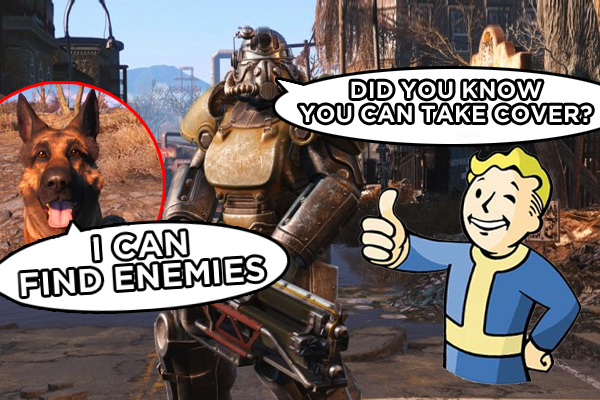
It's probably going to take a good few years to accurately chronicle and catalogue every last thing you can see and do in Bethesda's magnum opus, but between our hefty easter egg breakdown and essential guide for beginners, what's left is every tip, trick and awesome piece of advice even seasoned veterans of the wasteland might not know. Thing is, the overall lack of tutorials once you're outside the starting Vault in Fallout 4 has become quite the talking point. On the one hand it's welcoming to not have a game hold your hand and belabour every single game mechanic, but on the other, fans are discovering there's an absolute shedload of things you can do that make the act of playing exponentially more fun. For example, did you even know there was a cover system? We've got more on that later, but it's emblematic of how very crucial parts of the experience are easily missable. As such, Fallout 4's been getting a bit of a mixed reception because of both this and the standard 'Bethesda jank' of bugs and glitches.There's definitely nothing quite like a Bethesda RPG, and as they've combined Destiny's loot grind with Doom's infectiously meaty gunplay, here's how to continue getting the most out of what'll surely be many peoples' Game of the Year regardless.

21. Equip Your Companions With Better Gear (Even Power Armour)
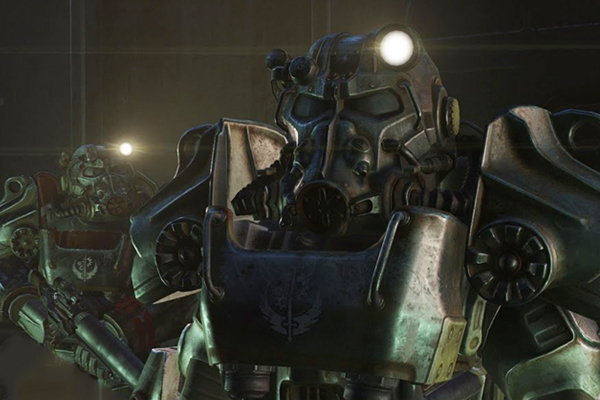
Like past Fallouts, your companions differ wildly from providing some much-needed firepower in a particularly arduous brawl, to standing around and getting their eyebrows blown off as they try to talk to you mid-fight. You can give them a more fighting chance though, by actually choosing what they wear and fire. Simply strike up a conversation with a particular companion, offer to barter/trade with them, then transfer across what you'd like them to equip. Once the items are in their requisite inventories (and you're highlighting them in the right-side list) a new prompt will pop up (Triangle on PS4) to equip the item or weapon. You can even do this to force companions to wear Power Armour (which has a massive defensive boost in combat), but just make sure to converse with them again to request they step back out of it when you're done, as you don't want anyone running away or leaving with a perfect set on their shoulders.

20. Switch Perspective In Conversations
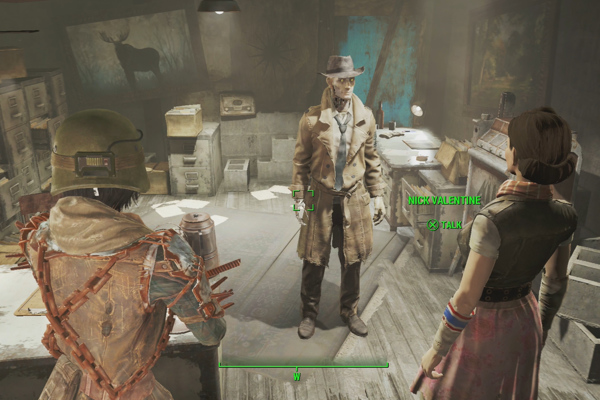
First or third person? Answers in the comments - you tend to only fall into one of two camps, before venomously defending it from the opposition. Fallout 4 has seen a ton of refinements done to the general feel and speed of both modes, but the one-button perspective switch (touchpad on PS4) can still be used after the new conversation camera has taken over. If you tap it when anyone's talking, you can then access your Pip-Boy to rummage through your inventory or save, the conversation being resumable once you're finished.

19. Sit Or Lie Down To Wait & Speed Up The Day
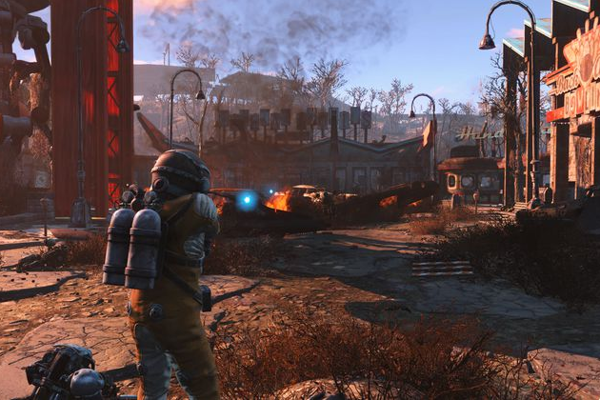
This is a weird one to intentionally obscure from the player, specifically because at any time you might wish to change up the time of day to alter anything from visibility during a mission, NPC movement or shop opening times. Fallout 3 and New Vegas had the option on a single button, but in Fallout 4 you have to find somewhere to either sit or lie down - which reconciles your waiting to most settlements. Definitely a strange decision in comparison to the last handful of titles Bethesda have put out, but at least you'll be right next to your barterer of choice once you wake up.

18. Use V.A.T.S. To Shoot Grenades Out The Sky
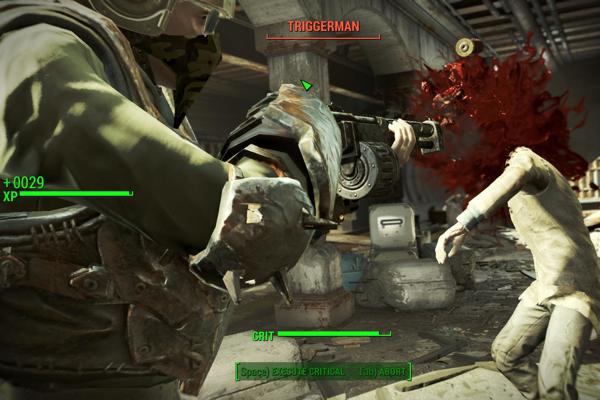
The new faster sense of gunplay lends itself to getting stuck in and blowing apart as many enemies as possible, as fast as you can - meaning V.A.T.S. can take a bit of a backseat to the action. However, it has multiple hidden uses other than just limb-targeting and slow-motion finishers, one of which is literally being able to shoot grenades or other thrown explosives/weapons clean out the sky. You'll have to be fast on the button to trigger it, but thankfully the grenade indicator pops up on your screen as soon as the item leaves someone else's hand, so fire off V.A.T.S., lock on and blow it away right in front of their faces. Is there anything more badass than that?

17. Change Your Appearance After The Initial Creation

Although the game makes a point of throwing a prompt in your face and asking "Are you sure?!" on your aesthetic choices before leaving the vault, you're totally free to change your hairstyle and even face itself, once you get to Diamond City. Simply seek out the Super Salon to get a haircut or facial hair change, and the plastic surgeon if you're looking to totally rework your face, Saints Row-style. As yet you're unable to alter your gender, but with Todd Howard (Bethesda's lead designer) mentioning that future DLC will be shaped by what fans request, there's every possibility this could get added in somewhere later down the line.

16. How To Assign Settlers To Plants & Food Resources

A relatively simple point, but one I almost completely overlooked in the process of understanding the fairly pointless Settlements - how to actually do the 'Assign a settler' command the game tells you. As the Settlement customisation window is a little finicky (insisting you do everything in first-person, rather than popping out to an isometric view), you might completely miss that in order to get someone to fulfil a specific task, you need to literally find them in the world, hover your reticule over, hit 'Command' and walk back to the item you want, before hitting 'Select' to complete the action. Definitely not the most streamlined of practices (especially considering how Fallout Shelter's interface could probably have been adapted in some way), and also remember that the 'Move' command doesn't mean within the current Settlement, instead it refers to allocating your followers to any of the other places you've claimed as safe zones.

15. Understand The Sneaking System

Sneaking in Fallout 4 initially feels like an afterthought, much like it has done in the past - but some additional work has been done in terms of how to tell if an enemy is about to detect you. Look to the top of the screen after you've crouched, and - providing you're not already detected or hiding from someone who has previously found you - you'll note the 'Hidden' text displayed above. Now, all alertness states at the top of the screen come squared off with brackets, but it's during the 'Hidden' phase where their proximity to the word itself indicates how close to going on alert an enemy is. For example, [ Hidden ] gives you way more breathing room than . It's definitely not a foolproof system, and most of the time you'll end up alerting enemies by moving too fast anyway, but it could allow you the precious few seconds to get into optimum position on a bunch of raiders.

14. Use Dogmeat To Scout For Enemies & Items
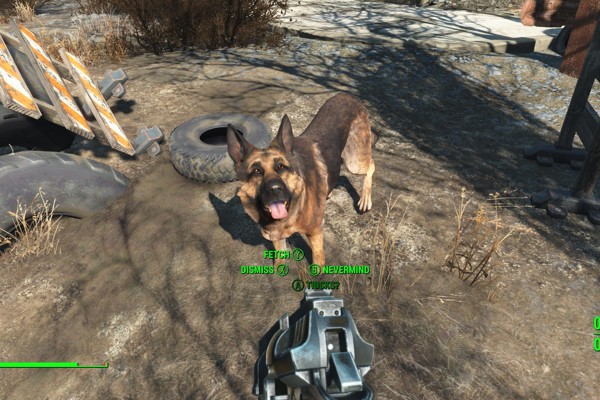
2015 is the battle of the hounds, as not only have we got Metal Gear Solid V's DD tearing enemies' throats out and accompanying you through hundreds of hours of gameplay, but Fallout's Dogmeat returns once again in 4, better than ever. For the most part you'll acquire him in the early game and that'll be that (especially if you're not much of a dog person). However, many will know you can trade items with him, but if you hop into the 'Fetch' command (which totally isn't what you think it is), you'll then get options for him to seek out items or enemies in the field. This can be especially useful at the close of any mission where your goal is to simply eliminate a certain amount of enemies, yet you can't find the last one. Get used to regularly checking in with your pooch, and you'll never miss another enemy or valuable item again. Bonus fact: If Dogmeat has come across a teddy bear (or you trade and give him one) you'll get a special animation where he plays with it. D'awww.

13. Custom-Organise Your Weapon List

Props to Redditor CromeDaBeast for figuring this one out. You might have noticed after spending any length of time in the Wasteland, your weapon and apparel lists will just be huge alphabetised rundowns of every last thing in their respective sections - even including your crafted weapons. It can make it very hard to find your best equipment, which is why - when you're crafting any custom items in the first place - you should make sure to change the name and add a space or a dash to the very front. Now, whenever your Pip-Boy tries to order everything it'll pull all special characters to the top of the page, giving you a custom chunk of all your best stuff for easy access in the field.

Gaming Editor
Gaming Editor

WhatCulture's Head of Gaming.