Pokémon GO: 17 Things You Didn't Know You Could Do
Retrieving Pokéballs that miss is a GODSEND.

At this stage, introducing what Pokémon GO 'is' feels a little redundant. The app just recently overtook Twitter in daily active users, has people literally walking miles and miles just to "catch 'em all", and ostensibly, is the biggest thing in gaming since the invention of the polygon.
Personally I've compiled a list of Tips & Tricks The Game Doesn't Tell You (the video version of which is below), alongside little-known pointers that will save your battery - but what of the other hidden things you can do, that players have discovered across hours of playtime?
Pokémon GO actually has a surprising amount of depth and replayability tucked inside its easily-accessible aesthetic - a fact many early reviews appear to have completely missed.
Simply take stock of everything inside Nintendo's latest genius creation, and you'll see why...
-
17. Get An Idea Of What Pokémon Is Inside Your Egg
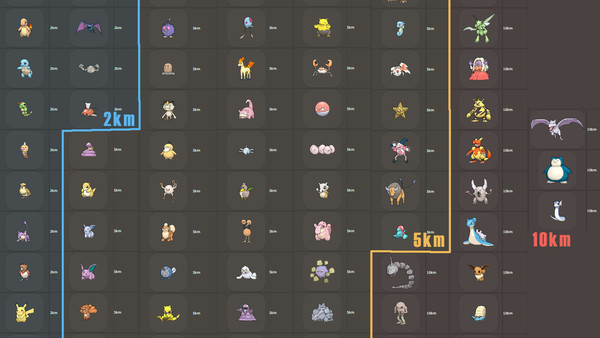
Chances are, after you've visited a handful of PokéStops (the blue floating cubes) around the world, you'll end up with a number of 'Eggs', to be hatched by walking two, five or 10 kilometres.
What's inside them first appeared to be random, but is actually tiered, with greater distanced eggs having a higher chance of rewarding you with a rarer and more powerful Pokémon.
Take a look at the full size version of the above chart here, and you can at least get some idea of which eggs you should set away incubating.
Now it must be said that the above chart is a guide compiled from various community interactions online; the game seems to have an element of randomness, so although a 10km trek can occasionally result in a bog-standard Eevee, you may also end up with something like an Electabuzz in a shorter distanced egg.
16. Throw A Curveball
Okay, now you're just showing off. Not content with slam-dunking endless Pokéballs off the various' creatures little faces, you can curve them in from the sides, too.
Just hold your finger over the Pokéball as it appears on screen, and rotate left or right. Soon enough the ball will glow and spin faster, to which you'll want to flick in the opposite direction to get it to curve around and back to the Pokémon.
This tactic can catch higher-level monsters (denoted by their orange and red rings) without the need to weaken them through multiple standard throws. In fact, if you ensure the coloured rings are smallest before letting your Pokéball fly, you'll have a far greater chance of nabbing almost any Pokémon in one go.
15. Download The Game Map And Extend Battery Life
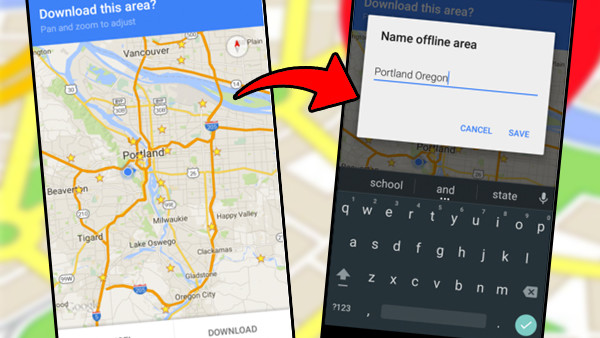
Note: At time of writing, there's a lot of disagreement going on about this particular trick. On the one hand, myself and a bunch of players have experienced better battery life (or think we have), whilst on the other, an actual Google technician stated the 'hack' didn't work.
I'll detail the method anyway, and hopefully we'll get an official answer from Niantic/Nintendo at some point.
So, the theory goes that Pokémon GO actually uses Google Maps' API (the offline guts of the app itself) to form the base of the game world. To make the most of battery life, many users are saying to pop into Google Maps' settings, hit 'offline areas', tap the plus symbol and add/download your own location.
From here, the game should then use the offline map to process all data other than GPS tracking, saving your battery and hopefully extending how long you can play.
Let us know in the comments how you've found the method, and hopefully we can get to the bottom of this!
14. Retrieve Missed Pokéballs
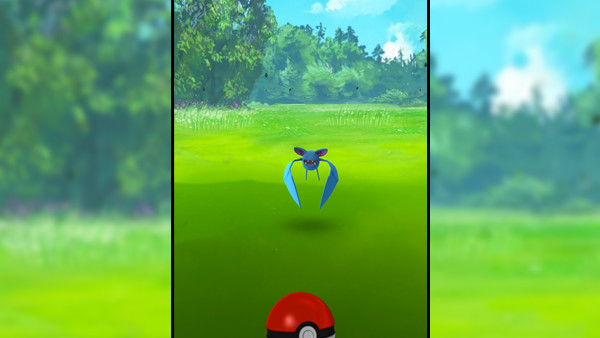
We've all been there, slowly losing patience as endless Pokéballs get flung in the direction of a Zubat that just.won't.stay.STILL.
There are rumours flying around that Niantic actually make the Pokéballs miss every now and then to encourage you into eventually buying more, but a better way is to simply retrieve them instead.
Now, because your inventory, everything in it and which Pokémon you're capturing are server-tracked from the developer's San Francisco HQ, this sometimes doesn't register, but after throwing and missing with a Pokéball, just tap on it after it lands to pick the ball back up again.
Simple!
13. Start With A Pikachu
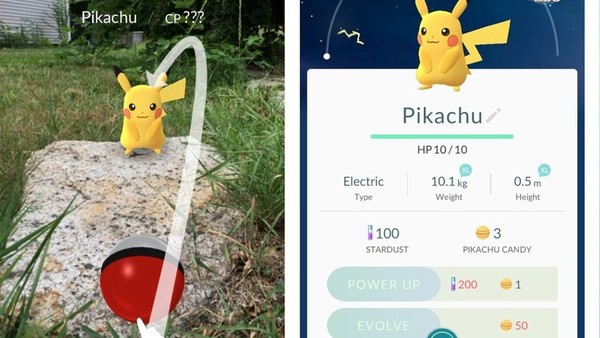
One of the early tidbits of secret info that got out there was that you can actually completely ignore the traditional three starter Pokémon.
In fact, if you walk away from Charmander, Squirtle or Bulbasaur four times in a row, Pikachu will show up instead.
It does mean you literally have to walk real-world distance to trigger Pikachu's appearance, but once you've got him, he's yours forever! (Providing you don't trade him for candy, of course).
12. Revive A Pokémon With Full Health

After you've taken to battling at Gyms and getting your derriere well and truly kicked, you'll be left with a host of battered, no-health'd Pokémon.
Rather than drop Revive items and then Potions to rejuvenate them to full health, if you happen to have enough Candy for an evolution, just do this instead and you'll get an all-new, more powerful creature with a fresh - and full - health bar.
11. Check Out A List Of Optional Medals
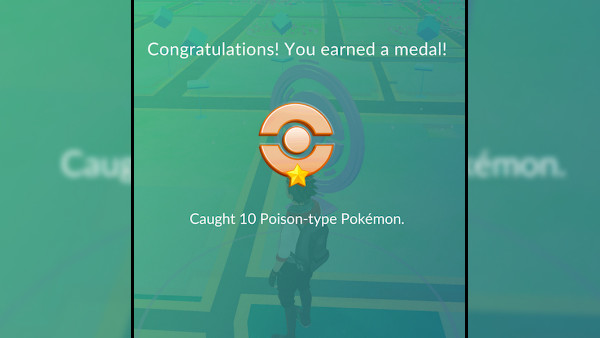
I'm including this as honestly, I couldn't find the medal list for quite some time.
You may have noticed little prompts popping up stating you've 'Captured 3 Water Pokémon' or walked a certain distance, so if you're looking for optional things to do and track in between capturing and battling Pokémon, hop into your profile menu from the main gameplay screen (bottom left), and then scroll down to see this list of medals.
As the app runs less than smoothly in densely populated areas, many of the scrolling options rarely work the first time you place your finger on the screen. Always be sure to explore the app in full, as Niantic have really dropped the ball when it comes to explaining all these features.
10. Zoom The Camera In And Out With One Finger

'Pinch n' zoom' has been the norm for years on all smartphones, but Pokémon GO takes things one step further - or back, depending on what you make of this weird inclusion.
You may have noticed that tapping on the game screen in random places causes a small blue disc to emanate from said area. So, if you tap and then quickly tap and hold again, moving your finger up and down will zoom the camera in and out.
Perfect for quick adjustments to gameplay as you're on the move, I guess?
9. Tap Pokémon To Hear Their Soundbites
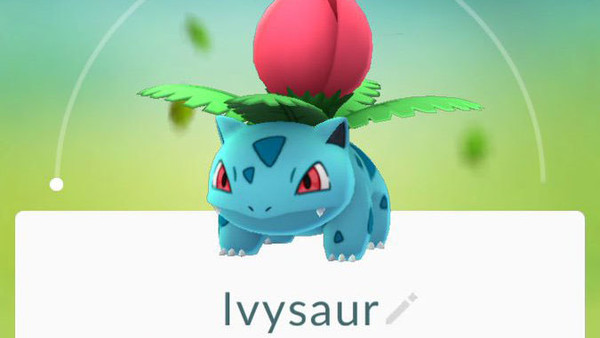
Niantic are reportedly working on a fix to make it so the Pokémon themselves don't sound like they're communicating through a wall of foam. As it stands though, they'll yell at you when being caught and again during gym battles, but you can see what your team sound like at any time.
Head into the Pokémon viewer and tap on the creature itself to hear their iconic noise, and you can also hold your finger down on them to rotate. Now you can fully admire your Charizard in all its splendour.
8. Know What The Pink Petals Surrounding A PokéStop Are

Many landmarks and monuments have been turned into PokéStops, but as you look over the game world, you'll spy a number of them are randomly covered in pink petals.
These 'petals' are actually tiny love hearts, and they come from a 'Lure Module' being dropped at the Stop in question.
Dropping a module lets all PoGo players in the surrounding area know that they have a far higher chance of catching Pokémon, should they venture across to its vicinity, so if you're in need of a few hundred extra friends, drop a module and wait for them to show up!
7. Have A Better Chance At Keeping A Gym
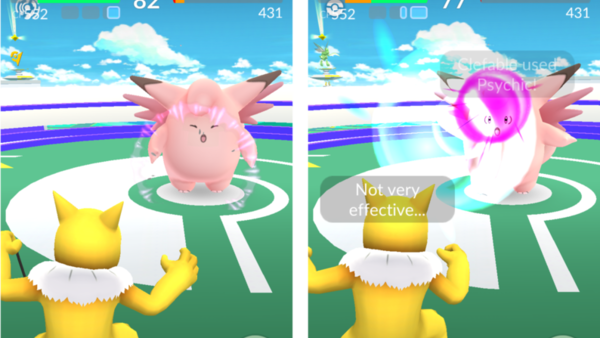
Here's a funny thing I figured out when travelling the lands in search of Pokémon - there are some points on the map designated as gyms, that are far harder to reach than others.
Case in point: A gym near WhatCulture HQ resided in a field on the other side of a dilapidated priory... that required a fee to enter. You literally couldn't get to the gym without paying this fee, which was great, because the Pokémon who were stationed there had a CP level of around 700.
You could tell, whoever these people were, they'd coughed up the cash to get into the area and stationed their Pokémon, knowing only those who also wanted to pay cash to take back a fictional gym would ever take it back.
Next time you're rationing off which Pokémon will be guarding what, survey the environment and think: Which gym poses an actual challenge to seek out? It can only lead to more regular daily bonuses in the end.
6. Get Bonus Coins & Stardust Daily

Speaking of daily bonuses, you get them by stationing Pokémon at gyms under your team's colour.
Stroll up to one, and if it's the same colour as what you're signed up to, battle for the option to raise the gym's 'Prestige' (and leave your own prize fighter there to defend from any other attacks) - whereas if an opposing colour is stationed, you'll have to beat the guarding Pokémon before going any further.
Once the gym is grey again, turn it your team's colour by placing a Pokémon there - now jump into the Shop menu and look to the top right. You'll have a number in the centre of the shield icon, which dictates how many Pokémon are assigned to gyms.
Each is worth 10 gold coins and 500 Stardust. You can put up to 10 out in the wild for the rest of us to fight, and the bonuses will roll in once every 21 hours, depending on if they've been defeated and returned to your roster or not.
5. Take Over A Gym With A Weaker Team/Pokémon
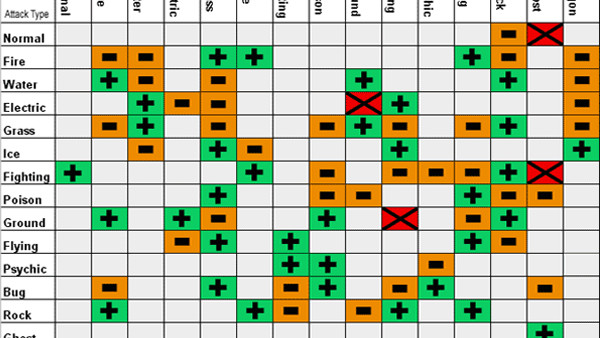
As battles in Pokémon GO are real time, 'battling' is completely different than that of the main games.
This basically boils down to tapping the living daylights out of your particular Pokémon so you can attack as fast as possible, occasionally swiping left to right to dodge attacks. Hopefully, when the servers smooth themselves over we'll actually be able to study opponent animations and dodge accordingly, but as it stands, it's more of an 'every man, woman and child for themselves'-type deal.
That said, there is something you can do - consider elemental advantages. Some of these fall into conceptual 'sense', like Fire trumping Grass, Electric trumping Water and Rock smashing Ice. Check the table above, and keep it in mind when choosing your fighters to take a gym from the opposition.
Consistently effective attacks lead to boosted damage bonuses, so when pulling up the requisite gym's defenders, think about what 'type' they are and plan accordingly.
4. Hatch Eggs By Doing Anything Under 25Mph

You can run, you can jog, you can even sprint - just don't speed up past 25mph, as that's the cut-off point in terms of how fast the game can track you.
Anything faster and it's no egg-tracking for you. This mostly comes down to Niantic's servers needing to keep track of you at all times, and some relative balancing in terms of how frequently you can acquire the creatures themselves.
If you could hop in your car and do laps around the block to hatch the most powerful monsters in minutes, that just wouldn't be all too fair on the rest of us, now would it?
3. Use The Same PokéStop Repeatedly (Every 5 Minutes)
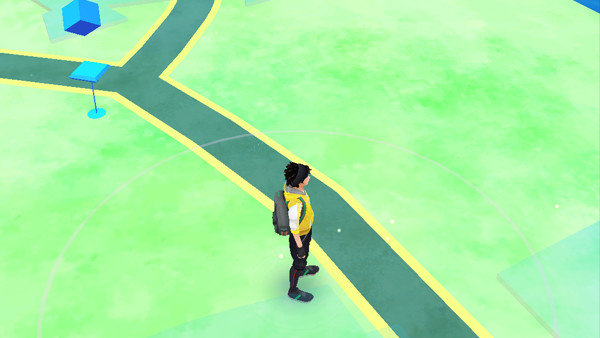
Going forward, Niantic should be looking into populating rural areas just as much as cityscapes and general suburbia, but as it stands if you're out in the sticks, there may only a handful of PokéStops to activate.
To remedy that, know they reset every five minutes, meaning you can do a quick walk around the block - catching Pokémon as you go - only to return and nab another set of items.
There's no limit to how much you can cash in (other than your own sanity), so do yourself a favour - get a bit of exercise in by inventing new routes to and from your places of business, and trigger these Stops as much as possible.
2. Name Your Pokémon

What's better than catching your own custom team of Poké-warriors?
Naming after iconic video game characters, that's what - or your best friends, band members, favourite swear words, you know how it is.
To do so, go into the Pokémon menu and look to the teeny, TINY pencil icon next to their names. Tap this and you'll bring up a keyboard - feel free to name them whatever you like, as despite being a public forum, the game doesn't seem to recognise or care about any profanity, believe it or not.
1. Battle Your Friend's Pokémon
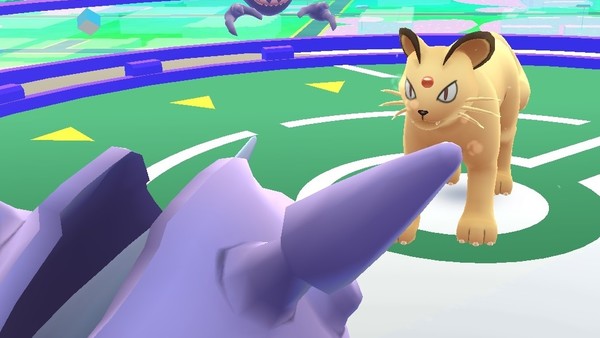
Until Niantic patch in real-time trading and battling between friends, we'll just have to make do with the weird gym setup as it is.
As such, battling your friends' Pokémon can only be done if they first station them at a gym, as approaching it to claim or train there will trigger the fight. If your friend is nearby, they can revive and heal to come back for another go after being defeated (as can you), and there is some fun in watching how the A.I. takes your fighter of choice and pits them against a pal.
It's not exactly what we wanted, but considering the HUGE server drain real-time battles would've required, is most definitely a fun alternative.
--
Let us know in the comments if there are any other tips, tricks and little-known features we missed!