Injustice 2: 8 Things You Didn't Know You Could Do
Playing as the 'pre order-only' characters for free? Done.
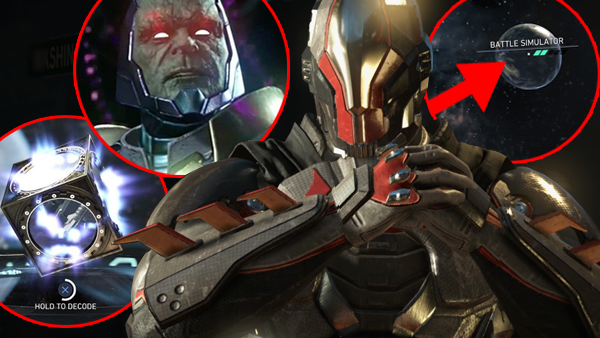
In case you hadn't heard or you're still on the fence, Injustice 2 is fast-becoming one of the best games of 2017. A robust fighting engine with a ludicrous amount of depth, stunning visuals and a story mode that sets the bar for all to follow, NetherRealm have reasserted their name at the top of the fighting game pile, delivering a decade-best fighter that Tekken 7 will have a very hard time beating.
From the slick cinematography of its cutscenes to the Multiverse where the game randomly generates scenarios and characters to fight, and the endless loot grind, there's an absolute ton of content to sift through. Indeed, building such a labyrinthine game that caters to casuals and diehard fighting fans in equal measure means Injustice 2 feels like a game that keeps on giving.
Even its main story features a number of branching pathways where you'll have to revisit chapters, choosing another fighter and playing to unlock the 'true ending', yet it's this notion that carries across the entire game. From secret modes to hidden ways to grind XP and playing pre order-only characters for free, if you've bought Injustice 2, make sure you're getting your money's worth.
8. Find The Hidden Arcade Mode
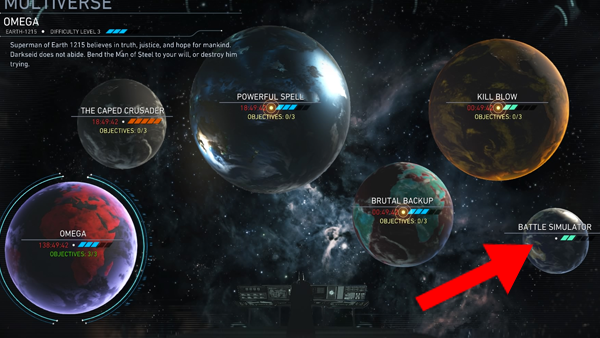
Why NetherRealm thought they'd obscure the otherwise standard fighting game mode of an 'arcade ladder' is a mystery, but Injustice 2 does actually have one, despite it not being selectable off the Single Player menu.
To access it, head into the Multiverse and down to the 'Battle Simulator' planet in the lower right.
Despite this sounding like a repeat of the optional tutorial, Battle Simulator is where to head if you want to battle a number of characters, face a boss at the end (Darkseid) and then watching your character-specific ending.
Sadly, these endings aren't FMVs or even in 3D, more animated comics/a set of stills, but as additional boons to the Injustice 2 package, you just got 32 new character-specific reasons to keep playing.
7. Catch Opponents & Combo Into Environmental Attacks
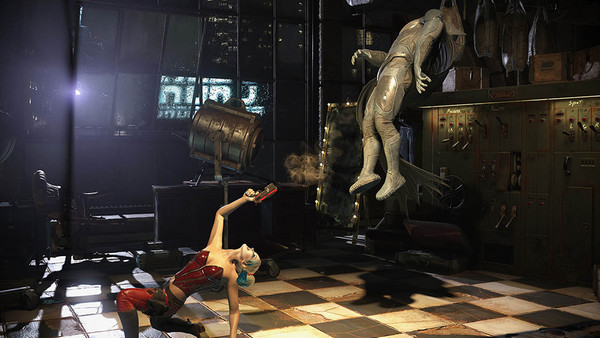
Wondered why sometimes the environment glows, even though you can't interact with it?
Often it's because said item can't be picked up as your opponent is too far away, yet let them get close and you'll be able to drive their head right through something like the Arkham Asylum sign - it can even come as part of a combo. Better still, get into position as an opponent is falling from the sky, hit R1/RB and you'll grab them out of mid-air and straight into the nearby object with a resounding crash.
Lastly, say you've got your back to something you'd like to interact with - the Metropolis bar level is best for this - hit R1/RB and many characters will still grab their opponent, doing a unique animation that connects with the object before still sending them flying across the screen.
Just think of this button as a dedicated grapple all its own. Push it when the part of the level you're on looks like there's something to interact with, as chances are, there is!
6. Unlock A Ton Of Gear Without Playing
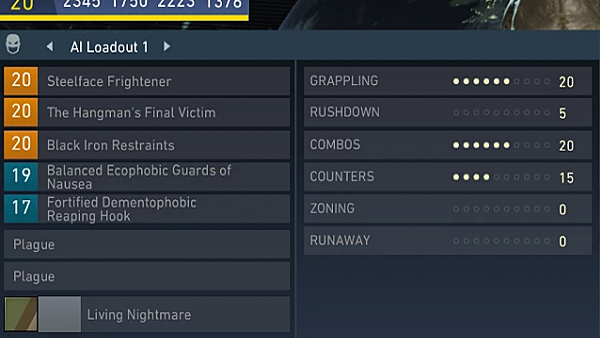
This took me far too long to figure out, but when you're in the Character Customisation screen and see the 'AI Loadout' slots, these aren't what a given character is going to wear when you fight them.
Instead, it's what they'll wear if you let them fight for you.
Feeling like you're betting on a dog or horse race, once inside the Multiverse or any mode other than the story, hit Square/X on the character select screen and select your AI profile instead.
The benefits are manyfold, as an AI version of your favourite character complete with all your best equipment will still garner a good amount of XP, unlocking loot and currency along the way - not to mention it's kinda cool getting a feel for how your character 'should' be played, or just seeing how a given gear set performs.
This is best used inside the Battle Simulation's endless mode, where you can load a fighter up with the best gear, then let them rip to see how far they get.
The only downside is you're given a 0.85x multiplier on all XP and currencies earned, but it can be worthwhile to leave your character fighting away whilst you're away from the screen, all the while building your profile.
5. Get A Premier Skin Without Pre-Ordering Or Buying Source Crystals
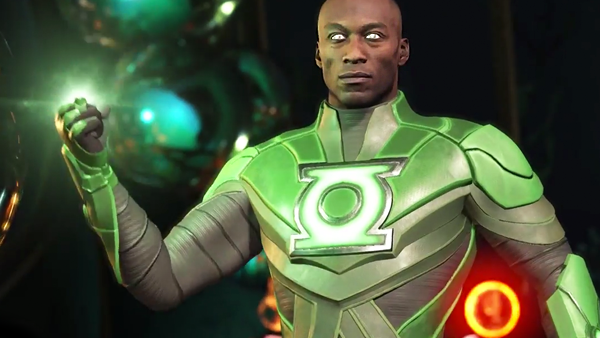
First up, know that Premier Skins are complete costume, voice and opening taunt swaps for certain characters (which you can find a breakdown of here).
For the most part they were included with the Deluxe or fancier versions of the game, but can be purchased with Source Crystals; the currency many are annoyed is tied to the game's microtransaction system. To find them, hop into the Customisation window, pick a character and go down to the 'Shader' option. For specific characters, there'll be another shader with a logo, denoting it's a Premier Skin.
However, whilst you'll continue to accrue Source Crystals just by playing (they're random drops along with standard Credits), play the Story Mode instead, as the drop-rate on Crystals is far higher, and by the time the credits roll, you'll have at least 5000 at the very least.
Many of the costumes are locked behind 6000, such as John Stewart or Power Girl, so after the story you'll be able to pick one up, or just complete a handful more matches and grab your first costume of choice.
4. Play As Darkseid For Free

Another one for the "They're making you pay for everything!" crowd, Darkseid is on the roster with a big old "Press X to purchase!" prompt above his head, but if you head into the Multiverse, there's a way to play for free.
NetherRealm previously implemented this idea with Goro in Mortal Kombat X's Living Towers, but here, you need to wait for a Multiverse planet to have a description mentioning Darkseid (it shouldn't take more than a few hours, so just keep checking back).
Once you get a narrative where Darkseid is the 'hero', choosing this planet will let you literally step into his shoes for every subsequent fight, providing you stay on that location for the amount of time the world is visible.
No paying extra money, just a cool way to trial a character that you can then purchase at a later date - if you so desire.
3. Expand Your Favourite Character's Moveset

Although the vast majority of loot-drops are item-based or palette-swaps, occasionally you'll come across purple-themed 'abilities'.
These are actually entirely new animations and moves, to which each character has at least one. It might take a while to grind them out, but once you've unlocked one, hop into the customisation window, down to 'Abilities' and slot in your new move.
Many will replace or 'bolt onto' established actions such as Batman's Cape Counter; which after unlocking the buff, can be Meter Burned for extra damage. It's a fantastic way to encourage you to keep playing and mastering a given hero or villain, as once just one move gets added, your entire repertoire can have a radically different implementation overall.
2. Characters' Invisible Strength Levels
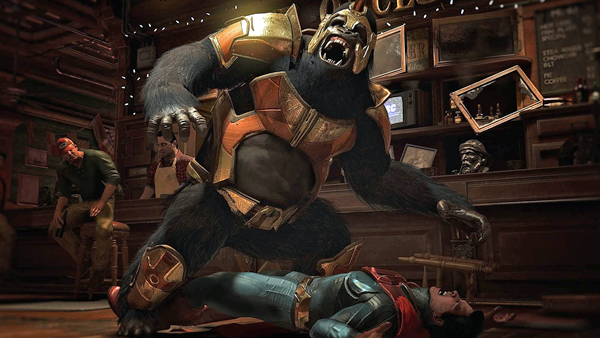
As far as I can see, this information isn't surfaced anywhere in the game, but there's a big distinction between characters and what I'm calling their 'strength levels' i.e. how they interact with the environment.
One of the most obvious is playing as someone like Superman as his is maxed out, allowing Clark to pick up any shining parts of the level to fling at opponents. It gets more interesting for mid-air interactions like the drone in Gotham's theatre stage, as many characters can swing on it if their strength is low enough (like Catwoman, for example), whereas Batman, Superman etc. will grab and toss immediately.
Take heed of 'perceived strength' when choosing your character and learn to exploit the environment in tow. It might just provide an out in the most intense of scenarios.
1. Solve The Daily Challenge Bug
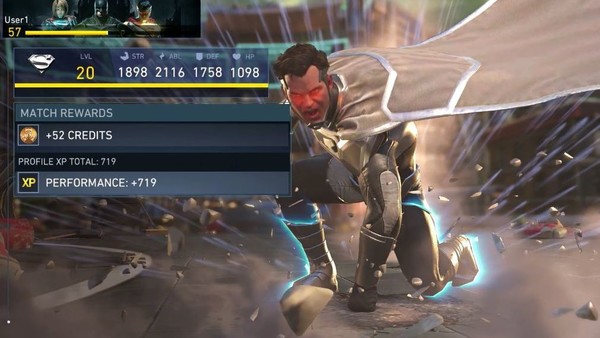
A potential oversight on NetherRealm's part - and hopefully something they'll patch asap - at time of writing, there's a prevalent issue on PS4 if you use the console's Rest Mode.
Say you've been playing and send your system to sleep. If you have the "Keep apps suspended" box ticked in the system settings, when you boot the console back up it'll go straight back to your suspended game.
So far so good.
However, doing so doesn't reinitialise the Daily Challenges seen on the game's main menu, despite the amount of time passed (if it's a day or two) and instead, they'll stay frozen on what was displayed when you turned your system off.
To fix this, simply jump back to the XMB and close the application/game entirely, then jump back in, where you'll be presented with a fresh batch of goals.
It's not ideal, but if you want the additional XP from playing on a daily basis alongside booting your console up fast, it's a must. At least for now.
--
Have you discovered any other little-known features in Injustice 2? Let us know in the comments!