PlayStation 5 Review - 7 Ups & 3 Downs
Can Sony's bizarrely-designed system live up to the hype?
After one of the most tumultuous generations in console history - one fraught with forays into microtransactions, loot boxes and "platforms for content" - gaming as a medium is raking in more money than ever.
Analyse any facet of the industry and you'll come away with drastically heightened metrics across the board: Bigger top-tier game productions, more expensive project budgets, bigger audiences waiting to play at midnight. It's a fascinating, dynamic force of entertainment to watch unfold, and it's into this hotbed of anticipation and payoff that Sony are continuing to carve their legacy.
As one of the three main pillars of gaming - alongside Xbox and Nintendo - Sony are leading the charge with a traditionalist approach. Letting Microsoft delve into monthly subscription services and physical backwards compatibility, PlayStation as a brand has truly come into its own.
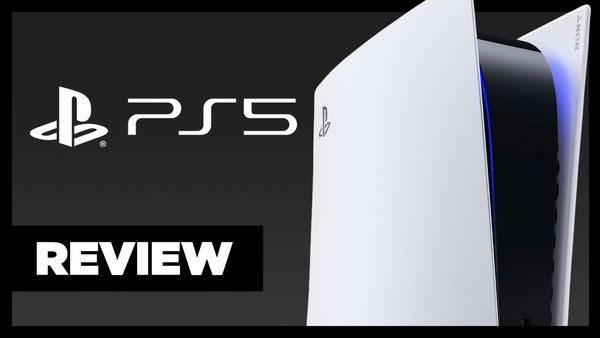
Ushering in the next generation with a host of new console features, a revamped dashboard, scores of community-requested modifications and launch-day platform exclusives, the PS5 is a robust offering that also happens to be a staggering 15.4 inches tall.
Yes, it's an incredible piece of kit, and though time will tell what the mainstream response is over time, for now let's break down one of the most anticipated consoles in gaming history.
System reviewed through pre-launch access. Unit supplied by Sony.
7. The "Card" System Encourages You To See Every Part Of A Game

The real head-turner and hands-down coolest part of the PS5's UI is its "Cards" system.
Brought up by tapping the PS button at any time, Cards are dynamically suggested pop-ups that cover a variety of contextually-applicable things.
In-game they'll suggest unfinished levels and goals you can button into, or highlight a trophy with a high percentage you're close to acquiring. There's always one for your Media Library at the end, alongside another that pulls in the latest news and updates for titles you're playing or have shown interest in.
Tap on a Card and you'll be whisked - in seconds - to whichever part of said game you want to play. Even with nothing loaded you can dive into a title's Game Hub, select a mission and start playing immediately. In Spider-Man: Miles Morales that means traversing the entirety of New York in an instant, appearing before mission-givers to unlock upgrades, before hitting the PS button and disappearing off somewhere else.
I'll expand on this as we go, but factor in the ability to watch the latest trailers inside a game or check out a recent capture from their respective Cards, and there's a sense of flow to using the PS5 that was never present on PS4.
6. SSD Loading

The Card system simply wouldn't work without expediency, and one of the biggest selling points for the PS5 is its custom SSD (Solid State Drive) for processing data. Differentiable from a traditional hard drive thanks to accessing all of a game or system's data at once, rather than loading over time, in use it obliterates load times.
Spider-Man: Miles Morales beams from main menu to in-game map in less than two seconds, Astro's Playroom the same. Over time you get into a mindset of tapping the PS button, seeing what you haven't done yet, and focusing on that. Thanks of the SSD, everything loads right away, and once you're comfortable juggling in-game menus and the system UI, you can HOOVER up mission goals and trophies.
I personally love the idea of building a console around the notion of playing as much of a game as possible, and because you KNOW you can leap into anything right away, it's very enticing. Loading from Rest Mode is also super quick, and jumping between separate titles only takes seconds. Performance might take a hit once storage is full, but for now, everything runs as advertised.
5. Everything About The DualSense

Potentially Sony's secret weapon - though it could go the way of the PS4's LED bar or the PS3's SixAxis controls - the DualSense is a brand-new controller built with various points of "haptic feedback" in mind.
We're talking pressurised triggers that "push back" or "lock up" to represent what's happening on screen. Want to fire a web as Spider-Man? You'll have to depress past a tension point on the trigger to simulate Spidey clicking in one of his web-shooters. Firing a bow and arrow in The Pathless comes with a nice "strain and release" sensation that only compliments the action.
Astro's Playroom though, is where all this tech shines brightest.
As a free game pre-installed on every PS5, Astro is built to show off every facet of this new controller. Its high fidelity motors rumble and "pop" to simulate weather effects, and there's a depth to the unit's movement when walking on sand or treading in waist-high water.
The DualSense also comes with a built-in microphone, meaning you can hit record over a captured piece of gameplay or respond to a friend through the messaging app, then speak directly into the controller.
Honestly the sound quality wasn't anything great, but you can alter the input level and it's serviceable enough.
Last is the renaming of the Share button to "Create". It largely functions the same - tapping to take screengrabs - but there are new settings that let you start and stop recording with a double-tap. I highly recommend turning this latter option on if you're recording a lot of footage, as it's a huge time-saver.
4. In-Game Help Videos

Another thing that comes from the Card-based UI is "developer help" videos per game.
Embedded media in Cards lets you watch trailers and captures as they break, but a developer can choose to leave a clip alongside any mission or challenge Card, letting you watch it while you try to beat the level itself.
These clips can be pinned to the side of the screen, and it's up to the devs themselves to include videos per game. Spider-Man: Miles Morales didn't have any videos pre-launch, but Astro's Playroom had helpful mini-guides for all its collectibles, letting me grab my first Platinum on PS5 in a few hours.
It's important to note for those who think this will "devalue" Platinum trophies: Everything is on the devs to designate which goals should come with videos. In the UI, clips are tied to in-game challenges, NOT trophies, so if said challenge - like beating a level, defeating a boss or acquiring a weapon - doubles as a Trophy, that's a happy coincidence.
At no point is the PS5 giving you a "trophy guide", inasmuch as overall help with the game at hand.
This splits the difference perfectly, putting the impetus on creatives to designate specific trophy goals, while ensuring the vast majority of players at least hit credits.
3. System-Level Difficulty, Spoiler Warnings, Controller Inversion & More

Onto a couple of new features I wanted to highlight - the first being some console-level settings that in many ways, will change how you approach games.
Tucked inside the new "Game Presets" tab in Settings are options to mandate difficulty across any game you boot up. You can set this to "Game Default", or if you want to play everything on "Easy", tap that and no game will ever challenge you too harshly again.
Alongside difficulty is system-level settings for inverting controls (something we haven't seen on a console since the Xbox 360), the option to mandate Performance or Resolution (frame rates vs. high levels of detail), and subtitle settings rounding things out.
Second are system-level spoiler warnings. Though these only apply to PS5 games - and can be turned off - you can tell the system to flag spoilers a game's developers have identified, or have the system work from your save file, knowing which cutscenes and moments you haven't seen yet.
All of this is assumedly applied to viewing gameplay clips from friends or possibly the various media apps like Youtube that will be added nearer launch. At time of writing it's simply a great feature to see, and I hope it gets fleshed out properly.
2. Ease Of Use Functions Return, Plus TONS Of New Accessibility Options
-
Next up, the return of double tapping the Home button for a "quick-switch" menu.
This menu is now expanded to let you return to multiple past apps or games, alongside letting you jump into a specific level or challenge, tying into the Card system overall. As quick-switch was something millions of PS4 users only discovered months after launch or never saw at all, expanding its usability feels like a natural extension of the UI's goal elsewhere.
On top of this fan-favourite feature, there are tons of awesome accessibility settings to get more people playing comfortably than ever. Inverting screen colours, various text sizes, reducing motion blur - you can also customise the DualSense's vibration intensity, how pressurised the haptic triggers are, or make it so the PS home button is more responsive, based on its response window.
Essential features that all modern systems should have, this is a great step in the right direction.
1. Backwards Compatibility Extends Beyond PS4

Sony are very much playing catch-up to Xbox's phenomenal Game Pass service, and besides announcing the PS Plus Collection (a smattering of top-tier titles from the last generation only available on PS5), they've been quick to point out that "99%" of PS4 games will work on PS5.
That holds true once you get on the console, however I feel it's worth pointing out that this "99%" designator applies to literally any game that EVER worked on PlayStation 4. It does not need to be a PS4 game at launch - only something that saw a PS4 version.
For example, you can go all the way back to the PS2 with the likes of The Warriors, GTA 3 and Vice City. These titles get recognised as "PS4" in the Library's category list, but it means you end up with an Xbox-like library of multiple generations of games, ready to be played.
In terms of gameplay thereafter, through sheer use of the SSD to load file sizes and games in general, you will see a notable uptick in load times when diving into any past-gen title.
It's going to be on the developers to release PS5-specific patches to optimise things outside of what's happening natively, but in my testing, everything from Dark Cloud on PS2 to the recently released Ghostrunner loaded faster than on PS4.
Downs
3. No More Themes

Onto the downsides, and simply because the PS5's dashboard is so visually focused, there's no room for an overall theme to dominate across the board.
The PS5 wants to play you a piece of music and show a specific image for each game you hover on, thereby removing the "need" for a background theme that was the case on PS3 or PS4.
In honestly, this can be seen as a major positive, but considering many of us paid additional fees for premium themes, it is a shame that none carry over - at least right now.
2. No 3D Speaker Audio At Launch

Initially one of the pillars of what the PS5 could offer in terms of "next-generation capabilities", 3D audio using the "Tempest Engine" sadly isn't functional at launch.
You are free to enjoy 3D audio on headsets, and the system lets you specify "height" for a mid-range of sound to then be built around, but the console's touted feature isn't available on home speakers or from televisions, despite being advertised.
I'll say that on headphones this didn't offer much to the gaming experience that wasn't there before. I suspect far more audio-minded reviewers than myself will pick up on what Sony's Tempest tech is bringing to the table, but for me it was supremely similar to what wearing a headset and playing PS4 games already felt like.
1. Disappointing Storage Size

The one aspect of the system that Sony have kept completely under-wraps until now:
The PS5's storage size is woefully lacking.
Advertised as 825GB, get it home and that figure drops by a staggering 158GB.
You can see from the system storage menu, the PS5's UI only takes up 21.34GB (though this changes depending on various factors like games installed and system load), yet we have a console that only comes in at 667.2GB - less than the 1TB PS4 Pro.
Couple with Sony saying there'll be no SSD expansion options at launch, and we could be in for yet another generation of storage sizes simply being too small.
Everything in regards to how the system optimises loading across games and menus is stellar, but with titles like Red Dead Redemption 2, Final Fantasy VII Remake, The Last of Us 2 and Call of Duty Modern Warfare or Black Ops Cold War sitting around the 100GB mark, that space is going to disappear VERY fast, the more triple-A titles you install.