Pokémon GO: 15 Crucial Tips & Tricks The Game Doesn't Tell You
Pokéballs keep missing? They won't after this.

So you've got Pokémon GO (earlier than the rest of us if you were on Android), you've done a little dance after finding a Charmander in your living room, and now you're off into the big, bad world, seeing what else you can find.
Bodies of water are packed full of water Pokémon, gyms can levelled up and fought against (or for), venturing further and further away from your starting point only garners fancier monsters - all in all, it's a good day's Poké-hunting.
The only thing is... Pokémon GO is a fully-fledged Nintendo product, and as longtime fans can attest, the company are notorious for packing their games with far more than meets the eye.
As such, you'll need all the help you can get if you're going to be the very best, like no one ever was...
--
15. What The Footprints Mean
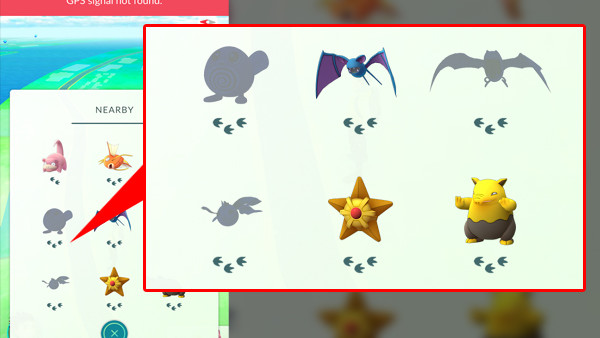
Although it might look like these denote popularity as you'll occasionally see more footprints nearer basic Pokémon, instead they're representative of distance.
See, when you boot up Pokémon GO, the game takes note of your position in the real world using GPS. These footprint icons dictate a radius from that start point, so three footprints would be around 300 metres from where you are, two is 200 and one is 100 and less.
It doesn't matter which direction you walk in, as you're only dealing with a radius from said starting point. You'll notice the 'Nearby' window fluctuate and change as you go, with the icons next to specific Pokémon 'counting down' as you get closer to where they are.
14. Transfer Your Duplicate Pokémon For Candy
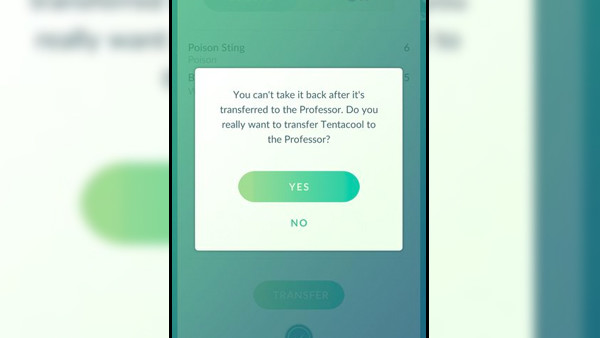
Like the main games, across your travels you'll come across a host of similar Pokémon - especially if you're grinding/farming a specific patch of land.
As such, hop in your Pokémon viewer (Pokéball button, then left icon), pick a Pokémon and scroll down.
From here, select 'Transfer' and the Professor will take the creature off your hands, returning 'Candy' relating to the 'family' of Pokémon in return. These candies can be used to force evolutions and increase Combat Power (the universal stat used in battles), so even if you're laden with a ton of duplicate monsters, trade them in and spruce up your main team.
13. Claim Daily Free Items In The Shop
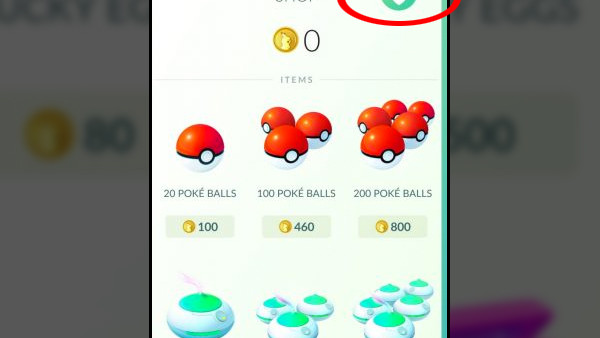
After you've got past the awesome-sounding idea of having the availability of Pokéballs be mapped to real-world shop locations, it'll suddenly dawn on you that you might actually have to go to the shops, just to stay stocked up.
Thankfully, that's not entirely the case, as hopping into the Shop menu from the Pokéball icon does open up a world of micro-transactions (the app is free, so Niantic/Nintendo have to make their money back somehow), however look to the top right, and to the 'shield' icon.
This can be tapped once a day for a daily bonus, and if you've missed it for a few days already, the number in the middle denotes how many 'freebies' you're yet to claim.
12. How To Always Hit With A Pokéball (What The Rings Mean)
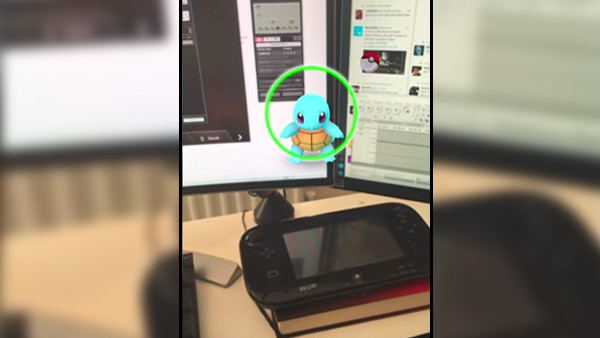
"So it's pretty much just Paper Toss with Pokéballs?" you say to yourself, after your first battle.
Yes and no, as there's a lot more going on than just swiping and hoping for the best. In fact, you've probably noticed a variety of coloured rings ensnaring and widening around your opponent.
These dictate how easy or hard the creature is to capture, so if all you see is a green ring, wait until it's at its smallest before throwing and you'll always catch your prey. You can alter the size by holding your finger over the Pokémon to shrink the ring when it appears, which if you do so before tossing your ball out, will almost always connect.
Orange and red rings mean you have calm the Pokémon a little first, otherwise they'll break back out, and you'll just waste items along the way. Purchasing or finding Great or Master Pokéballs give a greater chance of catching these higher-ranked monsters without doing so, but you can also purchase/find Berries, that will turn their threat rings back to green, allowing you to snap them up with ease.
11. How To Throw A Curveball
Okay, you've caught a few Pokémon and you've ventured far and wide - maybe you want a bit more of a challenge?
To throw a curveball (which are worth more XP, but you risk burning through Pokéballs to do so), simply hold on the Pokéball and make a rotating motion until it sparkles - similar to how you modify items in Super Mario Maker.
Once this has happened, let it fly - and most likely miss - but eventually you'll get the hang of it. Combine with a Lucky Egg to double your base XP, and you'll be ranking up in no time.
10. NOTHING Tracks When The App Is Asleep

This may be obvious, but unlike basic downloads and other popular mobile apps, Pokémon GO's various systems (tracking and populating the world, hatching eggs by walking etc.) are completely non-functional when the app is inactive or your phone is asleep.
That means you'll have to leave the app open and running if you're looking to hatch an egg by covering a certain distance, and you can forget about putting your phone to sleep, walking a good few hundred metres and reaping the rewards.
The app needs to register where you are at all times, as the radial distance to every Pokémon is constantly being monitored. Turning the app off resets this 'starting point' when booting it back up again, so always keep that in mind.
All of this may make you think of preserving battery life, in which case...
9. What 'Battery Saver Mode' Actually Does
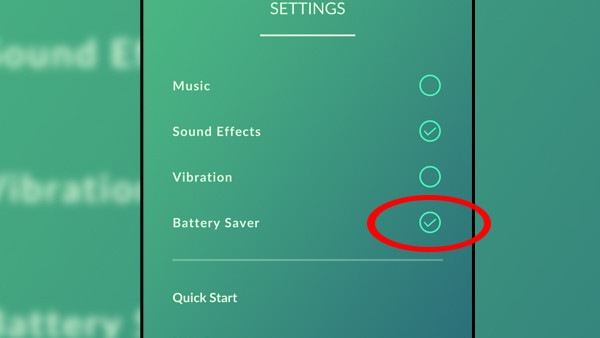
The most immediate complaint for PokéGO has come from the insane drain it puts on your battery. As the app combines constant GPS tracking with an omnipresent server-sync across the globe, you can lose an entire charge in around 40 minutes. Yes, really.
Niantic are reportedly working on a fix, but the included 'Battery Saver Mode' actually refers to the screen turning itself off if you turn your phone upside down in your pocket. As helpful Redditor PowerFang notes: "The screen will turn off, but everything else still runs. Just hold onto the phone with earphones in and it will vibrate when a wild Pokémon is near, or make a noise when you get in range of a PokéStop."
It's not a perfect workaround, but if you're planning on waiting around in specific areas to see what spawns or walking great distances without constantly staring downwards, it works a treat.
8. Evolving Pokémon After Being Knocked Out Gives Them Full Health

I'll get to battling and gyms later on (the focus of PokéGO is adventuring and catching, after all), but say your favourite monster has taken a pasting - so much so they've been knocked out entirely.
Pokémon GO provides a slight twist on the norm, whereas formerly, evolving a Pokémon with zero health would bring it back with only the incremental difference between forms as the remaining amount, now evolving a knocked out Pokémon gives you a full health bar, as though you'd just caught them.
Point being: Don't ever waste unnecessary items like yellow potions to bring Pokémon back, when instead you could just plug the requisite Candy and Stardust to evolve them and get an all-new Pokémon instead.
7. You Can Catch Many Pokémon By Standing Still
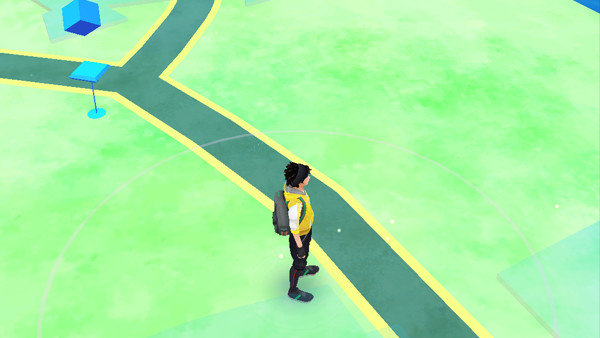
Thank the lord for this one, as yes, PokéGO (as I'm officially shortening it to) is definitely built to get you out and about, thanks to the way the world is populated, standing still can reap its own rewards, too.
See, developers Niantic have set up the world to constantly bounce off Google Map data and their own servers, meaning that walking and running will trigger various monsters as they're dependant on parts of the geometry (buildings, bodies of water etc.). However, precisely because of that load time and server catch-up, standing still will see any Pokémon within a short radius pop up regardless.
The best way to play is walking a good 100 metres or so, then taking five minutes and letting that part of the world 'load in' (as seen by the spinning Pokéball in the top left corner). Chances are, a Pokémon will pop up at random intervals, so always take breaks in between bouts of adventuring around your local landscape to see what's hiding.
6. You Can Name Pokémon
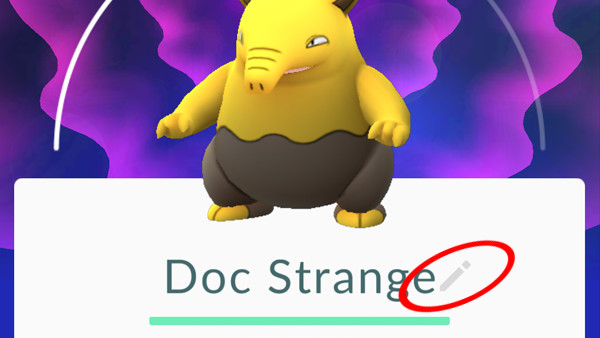
A tiny one, but something that any self-serving Pokémon Master needs to know - giving your tiny team of warriors a load of custom names.
To do so, jump into the Pokémon menu, pick a monster and look to the TINY 'pencil' icon next to their name. Tap it, and you can enter anything you like (ANYTHING, you like), customising your team as you see fit.
The jury's out on whether expletives and curse words are censored for other players, but I've had a Magikarp called "P*sslips" - for testing purposes only - and nothing's got in my way.
5. How To Use PokéStops Properly

Okay, granted, the game does tell you what PokéStops do, but for my money, not clearly enough.
See, the standard tip states that these Stops will 'change shape' when you're nearby, and that you should swipe on them to generate Pokéballs and items.
Not strictly true. Instead, from the basic game screen, when you get close to a PokéStop, yes it will change shape, but you need to tap on it to zoom in, swipe as fast as you can on the picture itself (it'll be a real snap, taken from Google Maps), then the icon will produce items and you can hoover them up. This can be done once every five or so minutes, as many times as you like.
Bonus tip: Due to how every item and element of progress is synched with Niantic's servers, after you've set the picture disk spinning, simply hit the 'X' quit button and any requisite items will automatically be added to your inventory, meaning you don't have to wait for the animation to stop. People have used this as a means to perform 'drive-by PokéStops', as it's especially useful in traffic.
4. What The Grass Animations Mean

It can be a little intimidating in the best way possible, going off on your first Pokémon adventure. You've had a world with Professor Willow, loaded up on Pokéballs and stotted a few of them off some innocent Pokémon heads. But what now?
Well, first take a look at your world map. The game refrains from giving you any real direction in the early going, your only goal coming from getting up to level 5, so you can get stuck into the gym battles.
However, the fastest way to do so is by targetting specific areas that are guaranteed to have a healthy amount of Pokémon inside. Look to the animation that shows a few blades of grass rustling - it'll no doubt be chick-full of grass Pokémon and other duplicates that can be given to Professor Willow.
Again, the 'game world' is layered over our own, so fields are fields, rivers are rivers, and so on.
3. How To Battle Other Players & Becoming A Gym Leader

Okay, you can't actually fight other trainers in real time - but the nearest implementation comes from Gyms.
First you'll need to level up to 5, and then claim a neutral gray-coloured one for yourself, or head up to a coloured gym (meaning it's owned by members of the three teams, Instinct, Mystic, Valor), as therein you'll get the option to battle their Pokémon one on one.
Depending on how many real-world people have staked their claim at that specific spot, the person with the highest combined CP (Combat Power) will be the default 'Leader' (who you'll face last), with all others simply being trainers you need to get through on your way to the top.
Note, battles are NOT turn-based. Instead, you swipe left and right to dodge and can tap on your opponent to do as much damage as fast as possible. The only 'tactic' outside of evasion is keeping an eye on your special meter, but chances are the fight will be over before it's maxed out. After you win, depending on how many people you need to get through, the gym may still be coloured - so repeat the process until it's gray, and then plant your metaphorical flag.
Once you do, you're then free to be the Leader of that gym, providing you can keep your CP high enough.
It's rumoured on various forums (with no sources yet) that Niantic are adding turn-based, real-time battles in the future, but for now, head out, amass your army and dominate as many gyms as you can find!
2. How To Do Special Moves In Battle
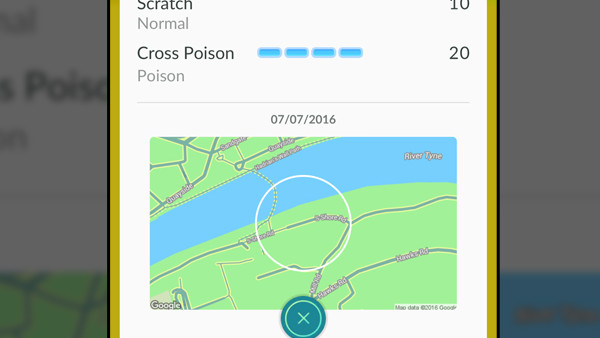
For your first few bouts, battling in the Gyms will be a hectic affair; getting trounced by higher-levelled opponents, not knowing when to dodge, servers dropping out and lag dominating - but don't worry.
Everything that happens when your Pokémon is on screen, is building up their special attack meter. How many 'segments' of the meter you'll need to accrue to activate a special differs from monster to monster, but you can view this on the Pokémon screen (seen above).
Pick a creature and scroll down, then keep that in mind when you're next in battle. You just might be able to turn the tables on your opponent at the last second, thanks to any previous encounters prepping your special attack already.
1. Recovering Your Data If Nothing Loads In
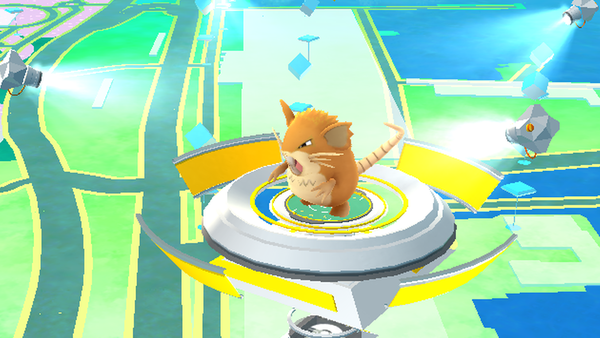
This is a tip specifically for the first few months, as Nintendo's servers do daily battles with an entire global populace of Poké-players vying to get - and stay - logged in.
I've personally had the game crash, and when I booted back in, my character's appearance was the same, but the PokéDex and all progress was wiped.
Not good.
To remedy this, find a way to close Pokémon GO completely, rather than leave it active. On Android, that means diving into your phone's App Manager. All data is supposed to be saved to Niantic's servers constantly, so in theory, your progress wasn't lost, but merely 'unretrievable' at the time of the server ping.
Closing and re-opening the app prompts a fresh connection to the server (rather like turning a modem off and back on), which for me anyway, restored all the lost data.
Hopefully if this happens to you, it'll be as painless as that to recover.
--
Let us know in the comments your immediate impressions, and if there are any other tips for PokéGO I've missed!