Fallout 4: 11 Insane Exploits & Glitches You Need To Try

Infinite XP, endless resources, teleportation and free legendary weapons? Yes, please!

Fallout 4 Review As Fallout 4 charges full steam ahead into 2016, we can safely assume that most avid gamers have experienced plenty of what the game has to offer. For the more hardcore among you, the wasteland might no longer seem like the exciting, dangerous place it once was, and you're forever looking for new ways to keep the fun and thrill of it alive. We'll no doubt see plenty of great DLC for Fallout 4 in 2016 (check out my speculation on what the DLC might be), but as we await new adventures and characters, what better way to keep ourselves entertained than by messing with the base game? I am, of course, talking about exploits - taking advantage of bugs and flaws in the game's engine and mechanics that let you do the naughty things Bethesda never intended. Want to climb vertical walls, earn infinite XP, and increase the building limit of your settlements on PC as well as consoles? Well, then come on in... These exploits still work as of December's 1.2 patch for Fallout 4

11. Increase Building Limit Of Settlements
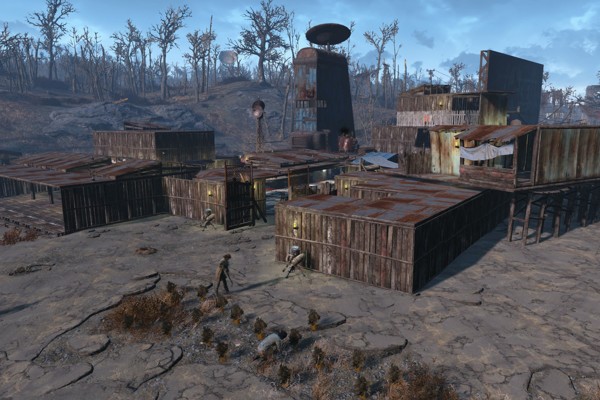
If your idea of a great Fallout 4 experience is kicking back in a settlement that you built from the ground up, maybe sniping the head off the occasional raider from your crafted monolithic tower, then you may feel restricted by the tight the limits on how much you're allowed to build actually is. Here's how to work around that limit without having to go into the console command prompt (so it works on PS4 and Xbox One too): Cram a whole load of weapons into your inventory, then drop them all on the ground in your settlement. Go into building mode. Look at the weapons so you get the options to "Store" them, then store each of them so they get transported to your weapons workbench. The game will treat this as if you've just removed built structures from your settlement, letting you build settlement structures in place of your stored (or scrapped) weapons. You can do this as much as you like, allowing you to effectively expand your settlement infinitely.

10. Teleportation

In Fallout 4's 50s-styled sci-fi world, it seems fitting that teleportation should exist. You'd imagine it being achieved using some kind of nuclear-powered metal booth that makes that retro Twilight Zone whirring sound when you activate it. But for lack of teleport pods, we'll have to settle for this exploit instead. A nifty gunplay mechanic in Fallout 4 has your character automatically peeping around the left or right of an object when you're pressed against it and hold the aim button. Perform this action, so that your character peeps out from behind an object and is looking through their ironsights. While holding the aim button, press and hold whichever other button goes into third-person mode. Next, let go of the aim button, then a second later let go of the third-person button. You've now 'enabled' the exploit. To use the exploit, press the third-person button to teleport to the exact spot you were in when you enabled the glitch. Once you've mastered it, you can not only use it for fun, but also to gain tactical advantages over your enemies by setting up teleportion spots during shootouts - adding a superhero touch to your Fallout experience.

9. Get Anything From Vendors For Free

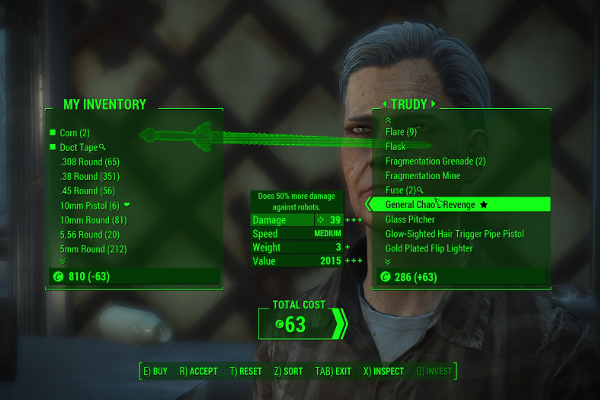
It's not easy earning a decent living in the wasteland, so inevitably you learn to cut corners wherever possible - craft items instead of buying them, sneakily murder people carrying bigger guns than you, or just outright steal vendors' best items from under their very noses. To do the latter: Open a trade window with the trader who owns the item you want to obtain. Put one of your less important items up for trade - a single bullet, a piece of junk, whatever - so its value appears in the small box at the bottom-centre of the screen. Highlight the item you want to steal in the vendor's inventory, then press X and Square at the same time on PS4 (X and A on XBO), and the item should appear in your inventory at the same time as the 'Confirm trade' box appears on the screen. You can cancel the trade, because you've already got the item you need. Pressing the buttons simultaneously can be tricky and might not work first time. If it fails, try pressing Square just before X on the PS4 (X before A on XBO). Keep trying this trick (and cancelling the trade each time you get asked) and after a couple of attempts you should have whatever it is you sought.

8. Dogmeat The Item Duplicator

It turns out that your canine companion in Fallout 4 is not only great at fetching weapons and mauling raiders to death, but also at magically multiplying your supplies - whether they're stacks of ammo, or books that improve your SPECIAL attributes. Her's how to do it: Drop the item you want to duplicate on the ground near Dogmeat, then command him to fetch it. When he stops to pick up the item, pick it up just before his head goes down to pick it up. If you time it right, Dogmeat will lean down to pick up the item after you've already picked it up, but magically duplicate the item and drop it at your feet (if you did this with a stack of ammo, he'll only bring you one bullet rather than the whole stack). To turn this single bullet into a stack of the same size as you originally dropped, drop your ammo stack on the ground alongside the one Dogmeat leaves for you. Go into Settings, Quicksave your game, then quit to the main menu. Return to the game, and you'll see two ammo stacks on the ground in front of you, both containing the same amount of ammo as your original stack.

7. Multiply Your Shipments

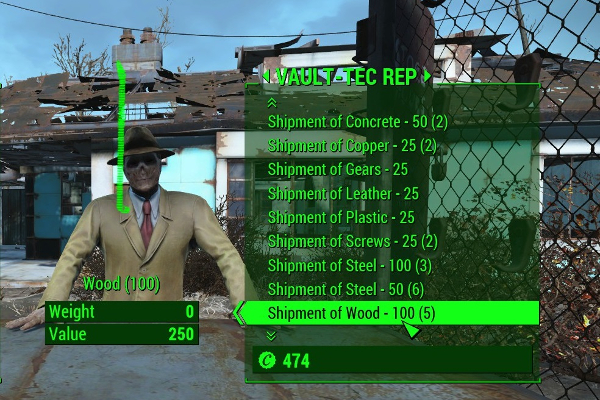
In the bigger settlements around the wasteland, you'll find stores where you can buy shipments of building materials, which you can then redeem at your workbenches. If you've got one of these shipments, then here's how to multiply it ad infinitum: Buy the shipment of the material you want to duplicate, then find a red crafting bench and remove every item stored in it. In your inventory, store every item from your 'Junk' in a nearby container (apart from the shipment you want to duplicate). Return to the weapons workbench, highlight the shipment you want to duplicate in your junk, then very quickly - almost simultaneously - press the 'Store All' then 'Take All' buttons (Triangle then Square on PS4, Y then X on Xbox One). This will make the original shipment stay in your inventory, while the materials will also appear in your workbench - you've just doubled your shipments! You can immediately highlight the original shipment in your inventory, and repeat this process as often as you like. Save before you do this. You can do this with multiple shipments of different resources simultaneously, but if you do this you'll need to remove your duplicated items from the workbench each time you want to repeat this process.

6. Statues Of Endless XP

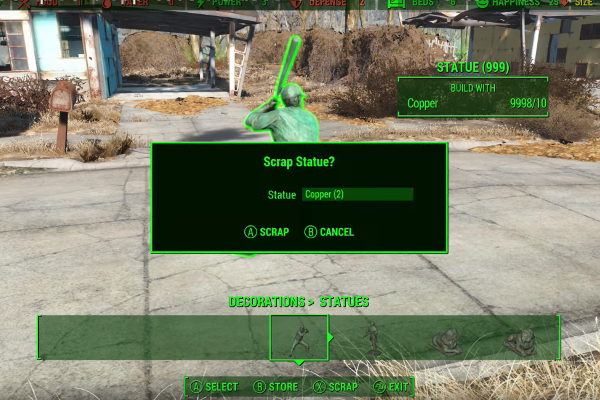
If you're tired of grinding away at Fallout 4 to reach those lofty higher levels, or perhaps you've already completed the game and just want to create a new character with whom to exploit the game to its limits, then you might just want to rack up XP in the fastest way possible. To do this, you'll need to get your chisel out and start crafting some copper statues. First, you need to get your hands on the 'Essential Upgrades!' issue of the Picket Fences perk magazine, which lets you build statues at your settlements. You'll find this magazine in the Blast Furnace Room at the Saugus Ironworks, under the large red box on the walkway at the back of the room. Next, at your settlement duplicate thousands of copper shipments using the shipments duplication (see previous heading) until you have, say, 10,000 copper. Finally, find an open spot in your settlement and build a statue. You'll immediately get some XP for this. You can't build multiple statues, so you'll need to keep scrapping then rebuilding the same statue to earn as much XP as you like. You can do this super-fast by rapidly and repeatedly pressing A then X on Xbox One, X then Square on PS4.

5. Invisibility Glitch

If you want to roam the wasteland with a permanently-enabled invisibility cloak like some kind of Boston-based Predator, then there are certain conditions you need to meet. First, you need your stealth skill at Level 5, and a piece of armour with either the chameleon perk, or Power Armor with the Stealthboy mod on it. Wearing one of the aforementioned armours, crouch for a few seconds to enable the invisibility cloak, then rapidly stand and crouch, stand and crouch several times in a row. If you did it correctly and fast enough, you'll find that when you stand up and start moving around, you'll remain invisible! You don't even have to continue wearing the armour with the invisibility perks. To come out of invisibility mode, make sure you're wearing the armour with the invisibility perk, then crouch and stand up again.

4. Elevation Glitch

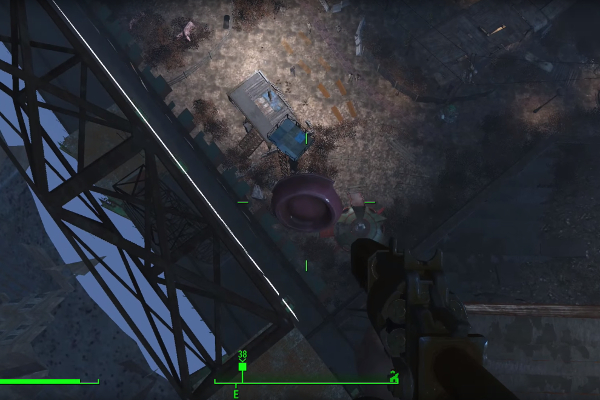
One of the things that stands out about Fallout 4 over its predecessors is the verticality of the game world. There are tall buildings, multi-layered cities, and formidable ruined overpasses elevating into the Boston skyline, all of which are just begging to be climbed. With this glitch, you can do just that. For this to work, pick a random useless item from your inventory, and 'grab' it by holding X on PS4 or 'A' on Xbox One. Keep the item hovering in front of you by continuing to hold the Grab button, then turn your back to the surface you want to climb (no matter how vertical it is), then walk backwards into it to begin your ascent! It's crucial that you keep holding the item as long as you're climbing, otherwise you could be in for a fatal fall. Bear in mind that there's often a limit to how high you can climb, which when reached can deactivate the glitch and send you hurtling towards the ground.

3. Infinite Carry Capacity For Companions

Aside from offering friendship, banter, and a warm body to snuggle up to at night (Strong the Super Mutant is particularly big and cuddly), companions in Fallout 4 are particularly useful because they give you a whole load of extra carrying capacity. Unfortunately, like you they have their carrying limits... unless you take advantage of this simple exploit. First, make sure you're with a companion other than Dogmeat. This exploit relies on companions' ability to pick large items up off the ground, which Dogmeat is sadly incapable of doing. Next, when your companion's carrying capacity is full, drop the items you want them to carry on the ground, then order your companion to pick them up. The items will go into their inventory regardless of their carrying capacity limits. No more need for fast-travel trips back to you settlements every 15 minutes!

2. Craft Without Using Resources

The crafting system in Fallout 4 is one of the more accessible and satisfying ones around, allowing the frugally-inclined gamer to piece together their own powerful arsenal rather than building up a life's savings of bottlecaps just to buy a single legendary weapon from a vendor. But if you want to be even more frugal, you can craft weapons, cook food and make armour without using any resources. Here's how: The main pre-requisites to use this exploit are having enough resources to make at least one of the item you want to craft, and having the perk ranks required to craft that item. Go to the station where you want to craft your item - so weapons bench for weapons, chem bench for chems, cooking pot for cooking etc. Highlight the item you want to craft, then very quickly press the 'Build' then the 'Cancel' buttons (X then Circle on PS4, A then B on Xbox One). The thing you wanted to craft should now appear in your inventory, even though you haven't used any resources to make it.

1. Run Settlement Wires Anywhere

Running wires between objects that require electricity in your settlements is a necessary evil rather than an enjoyable process. They have limited length, and won't pass through solid walls, making them a infrastructural nightmare to set up. But there is a solution: In your settlement, place a conduit next to a power generator, and run an electrical wire between them. Place the item you want to run power to anywhere in your settlement, even if it's in a place that'd usually be inaccessible to wires. Return to the wire attached between the generator and conduit, hover over the wire so it's highlighted green, then press the Attach Wire button (Triangle on PS4, Y on Xbox One) even though the option isn't there. When looking at the wire, the generator needs to be positioned behind the wire for this to work. A new wire should appear after you press Attach Wire, which you can then run anywhere in your settlement, no matter how far or how many walls are in the way. Have you found any cheeky exploits in your travels, or are you still keeping your Fallout 4 experience pure and unbroken? Let us know with a comment, or why not try writing for WhatCulture yourself?

Contributor
Contributor

Gamer, Researcher of strange things. I'm a writer-editor hybrid whose writings on video games, technology and movies can be found across the internet. I've even ventured into the realm of current affairs on occasion but, unable to face reality, have retreated into expatiating on things on screens instead.